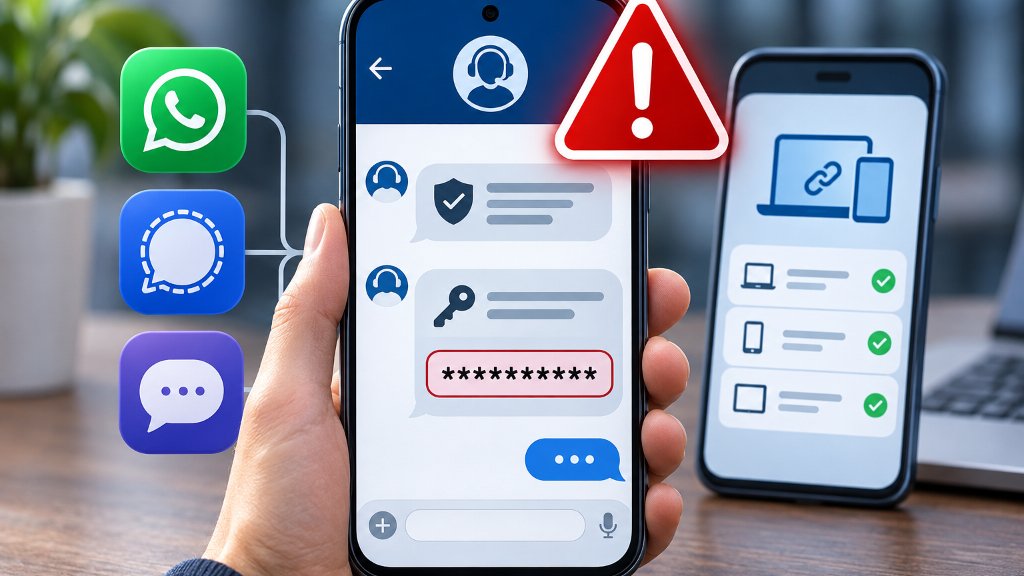
Fake support messages target users of popular messaging apps. These messages claim that an account has a sync problem, security issue, or lost backup. They then ask for a verification code, PIN, recovery key, or device-linking approval. Those details can give criminals control of the account.
The FBI and Cybersecurity and Infrastructure Security Agency warned about an ongoing phishing campaign in 2026. The campaign targeted government officials, journalists, political figures, military personnel, and other people of interest. The warnings describe attacks against selected individuals.
Fake support messages
Official support teams do not ask users to send verification codes through a chat. Signal says it will never ask for a PIN, verification code, or recovery key through messages, calls, or support chats. (Signal support guidance)
The FBI says legitimate commercial messaging-app support services use official company email addresses. They do not ask for verification codes inside the app. They also do not send links to verify or restore an account. (FBI and CISA messaging-app warning)
Scammers create accounts that look like automated support bots. Their names may contain words such as “security,” “help,” or “verification.” Their profile pictures may copy the app’s logo.
These messages may warn that your messages or media will disappear soon. That pressure is meant to make you act before checking the request. Treat urgent requests as account-takeover attempts.
Recovery keys reveal backups
A backup recovery key protects an encrypted copy of your messages. Signal says its secure backups use a 64-character recovery key. Signal does not receive or store that key. (Signal secure-backup guidance)
The FBI reported that attackers used fake recovery notices to persuade victims to create backups. They then asked victims to paste the recovery key into the chat. Attackers could use the key to view historical messages and take over the account. (FBI and CISA recovery-key guidance)
The FBI also says a stolen key may remain valid after a victim creates a new account with the same phone number. Generate a new recovery key through the official app after exposure. This does not erase a backup that an attacker already downloaded.
Never paste a recovery key into a message. Do not save it in a public note, shared document, or screenshot folder. Store it only in a place that you control and can protect.
Device linking needs caution
Some scams do not ask for a password. Instead, they ask you to link a new device to your account. The request may appear during a fake invitation, document share, or secure call setup.
Google Threat Intelligence reported that one 2026 campaign used fake WhatsApp pages. The pages persuaded targets to link their accounts to attacker-controlled devices. The attackers then continued using legitimate account features. (Google Threat Intelligence report)
WhatsApp says users should link accounts only through official WhatsApp apps and websites. Unofficial apps and websites can compromise an account. (WhatsApp linked-device guidance)
Review linked devices regularly in the official app. Remove devices that you do not recognize. Do not approve a linking request because a message claims it is needed for a call, file, or meeting.
Safer account habits
- Open the messaging app directly when checking account warnings. Do not use a link from an unexpected message.
- Check the sender’s exact account name and contact details. A logo does not prove that the account is genuine.
- Never share login codes, PINs, recovery keys, or backup keys with another person.
- Confirm unusual requests through a separate channel. Use a phone number or contact method that you already trust.
- Review linked devices, active sessions, recovery settings, and connected applications.
- Use the strongest sign-in option that the app supports. Keep the app and phone software current.
- Tell family members and coworkers about the scam. Compromised accounts can send convincing messages to existing contacts.
Changing a password may not remove linked devices or stolen recovery keys. Review those settings after any suspicious interaction.
What to do after exposure
If you shared a code or recovery key, act from the official app. Review linked devices and active sessions. Remove anything unfamiliar. Change the account PIN or password if the service supports one.
Generate a new recovery key if the app provides that option. The FBI says this invalidates the previous key for future backup downloads. It does not prevent access to a backup that an attacker already downloaded.
Warn people who may receive messages from the account. Preserve screenshots, usernames, phone numbers, links, and timestamps. Do not continue negotiating with the sender.
Report the incident to the messaging provider. In the United States, report cyber-enabled fraud to the FBI’s Internet Crime Complaint Center. The FBI also asks victims to report suspicious logins and unauthorized devices. (IC3 reporting guidance)
References
Cybersecurity and Infrastructure Security Agency, & Federal Bureau of Investigation. (2026, June 26). Russian intelligence services continue to target commercial messaging applications. Internet Crime Complaint Center. https://www.ic3.gov/PSA/2026/PSA260626
Google Threat Intelligence Group. (2026, August 20). Going with the Flow(s): Distinct clusters target individuals of interest to Russia. Google Cloud. https://cloud.google.com/blog/topics/threat-intelligence/distinct-clusters-target-individuals-of-interest-to-russia
Signal. (n.d.). Signal official chat. Signal Support. https://support.signal.org/hc/en-us/articles/10933746286746-Signal-Official-Chat
Signal. (n.d.). Signal secure backups. Signal Support. https://support.signal.org/hc/en-us/articles/9708267671322-Signal-Secure-Backups
WhatsApp. (n.d.). About linked devices. WhatsApp Help Center. https://faq.whatsapp.com/378279804439436/?cms_platform=android&locale=el_GR